Meta recently introduced a new AI assistant across its family of apps, including WhatsApp. If you've spotted a small, colorful icon shaped like a ring or sparkle in your WhatsApp chat bar, you're looking at the Meta AI button. This shortcut links directly to Meta’s built-in conversational assistant, which is powered by its Llama language model. It lets users ask questions, generate content, and get answers without leaving the app. But not everyone sees value in it. Some users find the button intrusive, while others see it as clutter in an otherwise simple interface.
The Meta AI button is meant to serve as an entry point to Meta’s in-app assistant. When you tap it, a new chat thread opens with the assistant. You can ask it to write a message, summarize content, brainstorm ideas, or answer general knowledge questions. It’s similar in function to ChatGPT or other generative AI tools, but it lives directly within WhatsApp’s UI.
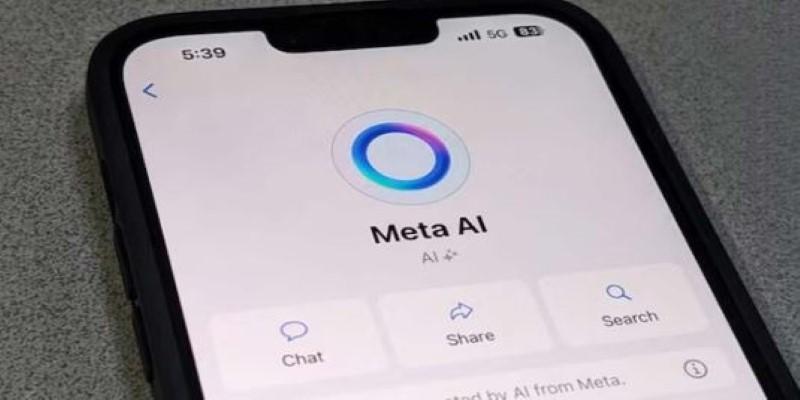
This button appears in the main chat interface near the search bar or message field. In some regions, users also get suggested prompts like “Ask Meta AI” directly in the text field. The goal is to integrate AI more tightly into daily conversations, but for many, it feels like a forced presence.
Unlike bots you voluntarily add, this assistant is part of WhatsApp's system-level features. Meta wants it to be a seamless part of how people interact with information inside the app, for users, which creates a clear tension between added functionality and loss of control over the app's layout.
At the time of writing, WhatsApp does not provide an official toggle to remove or disable the Meta AI button. This has led to frustration among users who want a cleaner, simpler interface. The button's placement makes it easy to trigger by accident, especially when it appears near frequently used functions like search or new chat.
Several regions, including India and parts of Europe, have received the feature as part of a phased rollout. In those regions, the button shows up after an app update. Uninstalling updates will not remove it, as the assistant is baked into the core design. Clearing the app cache or forcing stop also has no effect.
The absence of a settings switch or opt-out option leaves users with few choices. This highlights a growing trend in app design where user customization takes a back seat to product integration. Meta seems committed to embedding its AI layer deeply into WhatsApp, and early signs suggest it may not be optional.
While you can’t fully remove the Meta AI button, there are a few indirect ways to reduce its impact or at least avoid triggering it.

One option is to use an older version of WhatsApp that predates the AI integration. This would involve sideloading an APK from a third-party source, which carries security risks and is not recommended for most users. WhatsApp also periodically forces updates for compatibility reasons, so this solution is often short-lived.
If you use WhatsApp Business or WhatsApp Web, you may notice the AI button behaves differently or is less prominent. Some users report that Meta AI isn’t visible at all in the browser version. Others find it doesn’t appear in secondary accounts or when using Dual Apps mode on Android. These aren’t guaranteed, but they may give some users partial relief.
Another approach is to organize your app layout to avoid the AI entry point. If the button appears in the search bar, avoid tapping it directly. Instead, use the search function from a different screen. If it shows up in chat, switch to voice input or emoji shortcuts that bypass the text box.
It’s worth checking WhatsApp’s settings after each update. While there’s no toggle now, Meta may eventually introduce controls based on user feedback or regulatory pressure. Until then, staying aware of UI placement is the best way to minimize accidental activation.
From Meta’s perspective, the AI assistant is not just a feature. It’s a gateway to embedding its language models into user behavior. WhatsApp has more than 2 billion users globally. Integrating AI here offers Meta a large-scale deployment environment that rivals any standalone chatbot platform.
The assistant runs on Meta’s Llama model, which is optimized for lightweight deployment across mobile devices. That means inference cost and latency are kept low, allowing for quick response times even without dedicated compute on the device. But that optimization comes with trade-offs—Llama tends to struggle with complex multi-step queries or questions involving long-term memory.
Meta is likely using these deployments to collect performance feedback across regions, languages, and device types. This helps refine model performance under real-world usage, especially for edge cases like low-bandwidth environments or regional dialects. Unlike search or static chatbots, WhatsApp provides a live, conversational context that helps fine-tune AI responses through user interaction.
From a business standpoint, the assistant also creates a new surface for engagement. Meta can offer content generation tools, shopping prompts, or customer service scripts inside chats. This aligns with its broader goal of monetizing AI through utility rather than ads.
But the aggressive rollout without user consent has sparked concern. It puts pressure on Meta to justify the assistant’s presence through actual value rather than novelty. If the AI offers only generic responses or feels repetitive, users are more likely to see it as noise rather than help.
The Meta AI button in WhatsApp is part of a broader strategy to integrate conversational AI into daily communication. It gives users access to a general-purpose assistant without leaving the app, but it also introduces friction for users preferring a cleaner interface. There’s no official way to remove it, and workarounds are limited and temporary. Meta is aiming for AI to become a default layer in how people use messaging apps. Whether that works depends on how useful, reliable, and unobtrusive the assistant turns out to be over time. For now, many users are simply waiting for a way to turn it off.

Model behavior mirrors human shortcuts and limits. Structure reveals shared constraints.

Algorithms are interchangeable, but dirty data erodes results and trust quickly. It shows why integrity and provenance matter more than volume for reliability.

A technical examination of neural text processing, focusing on information density, context window management, and the friction of human-in-the-loop logic.

AI tools improve organization by automating scheduling, optimizing digital file management, and enhancing productivity through intelligent information retrieval and categorization

How AI enables faster drug discovery by harnessing crowdsourced research to improve pharmaceutical development

Meta’s AI copyright case raises critical questions about generative music, training data, and legal boundaries

What the Meta AI button in WhatsApp does, how it works, and practical ways to remove Meta AI or reduce its presence

How digital tools like Aeneas revolutionize historical research, enabling faster discoveries and deeper insights into the past.

Maximize your AI's potential by harnessing collective intelligence through knowledge capture, driving innovation and business growth.

Learn the LEGB rule in Python to master variable scope, write efficient code, and enhance debugging skills for better programming.

Find out how AI-driven interaction design improves tone, trust, and emotional flow in everyday technology.

Explore the intricate technology behind modern digital experiences and discover how computation shapes the way we connect and innovate.