Running your own AI chatbot might sound like something reserved for big tech labs or cloud giants. But what if you could do it yourself, right from your own setup, with just a single GPU? Yes, it's possible, and yes, it works. With the help of ROCm, AMD’s open software stack, you can bring large language models to life without needing a warehouse full of hardware.
But let’s not get ahead of ourselves. We’ll walk through the how, the what, and the get-it-done parts—all without fluff or tech talk that leaves you lost halfway through.
First off, ROCm (Radeon Open Compute) is AMD's open-source software platform that lets GPUs run heavy-duty compute tasks, like training or running large machine learning models. Think of it as the bridge between your GPU and the kind of code big AI models run on. Without it, you're pretty much stuck unless you switch to NVIDIA.

The good news? ROCm has grown up. It now supports PyTorch, TensorFlow, Hugging Face Transformers, and other libraries that matter in the world of chatbots. Better still, it doesn't ask you to compromise performance, especially if you've got one of AMD's newer GPUs like the MI210 or a high-memory RX 7900 XTX. So, instead of dreaming about cloud APIs, you can now run models right on your own system. Quietly. Locally. Privately.
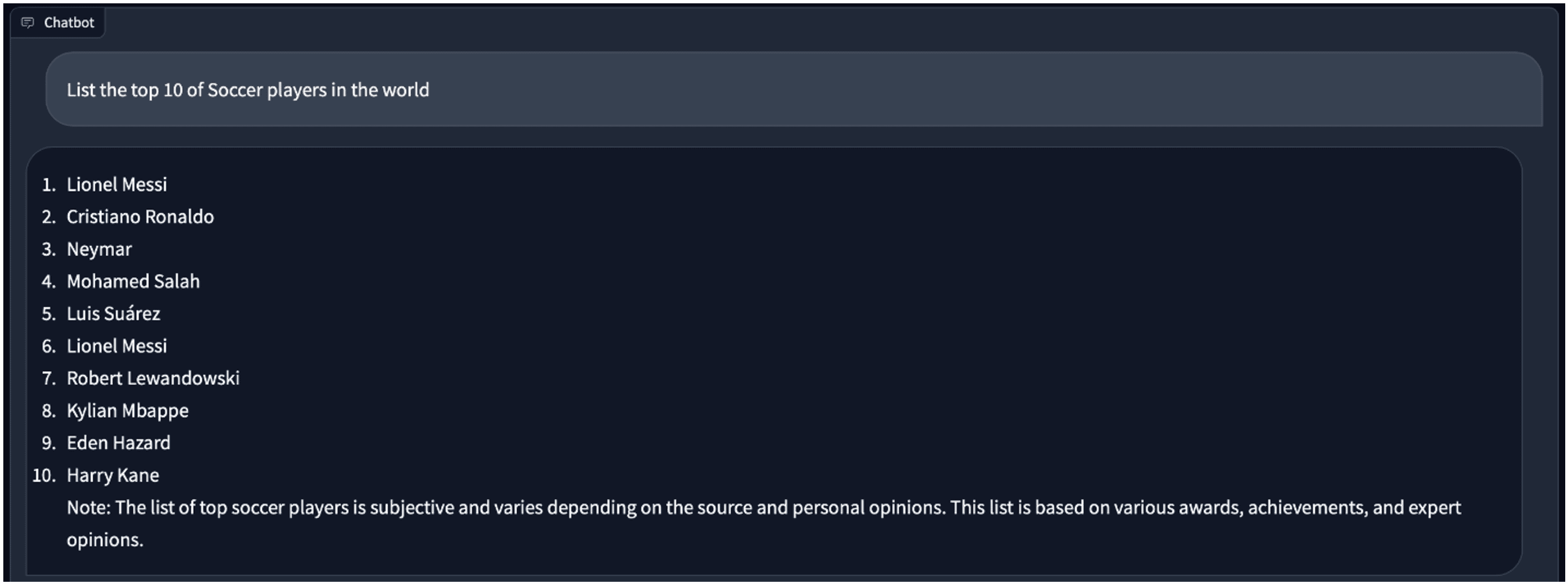
Before you dive in, there are a few things to line up. This part isn’t flashy, but it’s necessary.
Not all GPUs are treated equally. ROCm doesn’t support every AMD GPU under the sun. You’ll need something like:
Also, your system should be running on Linux—Ubuntu 22.04 is a safe bet. ROCm is Linux-only, so Windows folks will have to either dual-boot or use a VM with GPU passthrough (not beginner-friendly).
Here’s where most people trip, but don’t worry—it’s manageable.
bash
CopyEdit
sudo apt update
sudo apt install rock-dkms rocm-utils rocm-libs
After installing, make sure the environment variables are set. Usually, adding the following to your .bashrc file works:
bash
CopyEdit
export PATH=/opt/rocm/bin:$PATH
export LD_LIBRARY_PATH=/opt/rocm/lib:$LD_LIBRARY_PATH
Then reboot. Don’t skip that.
To check if it worked:
bash
CopyEdit
rocminfo
If it spits out details about your GPU, you’re golden.
This is where the pieces start falling together. You'll need a model, some libraries, and a way to chat with it.
We’re going to run a GPT-like model, but not something outrageously huge. For a single GPU setup, models like LLaMA 2 7B, Mistral 7B, or Phi-2 make sense. They balance performance and memory well.
For ROCm users, Hugging Face models that support PyTorch with ROCm backend are your friends. You can grab them like this:
python
CopyEdit
from transformers import AutoTokenizer, AutoModelForCausalLM
model_name = "mistralai/Mistral-7B-v0.1" # or another compatible model
tokenizer = AutoTokenizer.from_pretrained(model_name)
model = AutoModelForCausalLM.from_pretrained(model_name, torch_dtype=torch.float16)
Make sure to add device_map="auto" and torch_dtype=torch.float16 if you're working with limited GPU memory. Models can run surprisingly well in 16-bit precision.
Here’s where things get different from the usual NVIDIA flow.
Set PyTorch to use your AMD GPU:
python
CopyEdit
import torch
And don’t let the word “cuda” throw you off—PyTorch uses it generically, even when running on AMD under ROCm.
Now that the model and tokenizer are loaded, you can start chatting. Here’s a simple loop:
python
CopyEdit
while True:
prompt = input("You: ")
inputs = tokenizer(prompt, return_tensors="pt").to(device)
outputs = model.generate(**inputs, max_length=300)
response = tokenizer.decode(outputs[0], skip_special_tokens=True)
print("Bot:", response)
It doesn’t need a fancy UI—just plain Python and a terminal can get the job done.
There’s no point in running a chatbot that takes five minutes to answer. Let’s fix that.
Smaller bit-widths can drastically lower memory usage without trashing model quality.
You can load quantized models with libraries like transformers and bitsandbytes:
python
CopyEdit
from transformers import AutoModelForCausalLM, BitsAndBytesConfig
bnb_config = BitsAndBytesConfig(
load_in_4bit=True,
bnb_4bit_compute_dtype=torch.float16,
bnb_4bit_use_double_quant=True,
)
model = AutoModelForCausalLM.from_pretrained(
model_name,
quantization_config=bnb_config,
device_map="auto"
)
And yes—bitsandbytes supports ROCm now (you’ll need the latest build or a fork if the official one doesn’t work out of the box).
When generating responses, keep max_length or max_new_tokens realistic. If you ask it to write a 5,000-word essay, it will try. Set limits like this:
python
CopyEdit
outputs = model.generate(
**inputs,
max_new_tokens=100,
temperature=0.7,
do_sample=True
)
That keeps replies quick and avoids chewing up memory.
Obvious, but easy to forget. If you've got browser tabs open, games running in the background, or anything else using GPU RAM, close them. Your model needs all the memory it can get.
Running a ChatGPT-style chatbot on a single GPU with ROCm isn’t just possible—it’s smooth, surprisingly responsive, and doesn’t need you to sacrifice your weekend to set up. Once you’ve got the ROCm stack in place and a quantized model loaded, chatting with your own AI bot becomes an everyday thing. You control the data. You skip the monthly fees. And best of all, you get to say, “Yeah, I’ve got my own chatbot running locally.” You don’t need racks of servers or a PhD to make it work. Just the right tools—and now you have them.

Model behavior mirrors human shortcuts and limits. Structure reveals shared constraints.

Algorithms are interchangeable, but dirty data erodes results and trust quickly. It shows why integrity and provenance matter more than volume for reliability.

A technical examination of neural text processing, focusing on information density, context window management, and the friction of human-in-the-loop logic.

AI tools improve organization by automating scheduling, optimizing digital file management, and enhancing productivity through intelligent information retrieval and categorization

How AI enables faster drug discovery by harnessing crowdsourced research to improve pharmaceutical development

Meta’s AI copyright case raises critical questions about generative music, training data, and legal boundaries

What the Meta AI button in WhatsApp does, how it works, and practical ways to remove Meta AI or reduce its presence

How digital tools like Aeneas revolutionize historical research, enabling faster discoveries and deeper insights into the past.

Maximize your AI's potential by harnessing collective intelligence through knowledge capture, driving innovation and business growth.

Learn the LEGB rule in Python to master variable scope, write efficient code, and enhance debugging skills for better programming.

Find out how AI-driven interaction design improves tone, trust, and emotional flow in everyday technology.

Explore the intricate technology behind modern digital experiences and discover how computation shapes the way we connect and innovate.